SEO-Friendly Web Design Guide (2026)
Introduction
Why do some great-looking websites still struggle to rank? Often, it comes down to what happens behind the visuals. SEO-friendly web design is about more than a polished layout or keyword-optimised copy. If visitors cannot easily find what they need, or search engines cannot make sense of your pages, even a well-designed website can fall short.
As search evolves with AI-powered experiences, the need for clear, useful, and accessible websites remains. In this guide, we will cover what makes SEO-friendly web design effective, the common mistakes to avoid, and what to consider when building a new website or improving an existing one.
What Is SEO-Friendly Web Design?
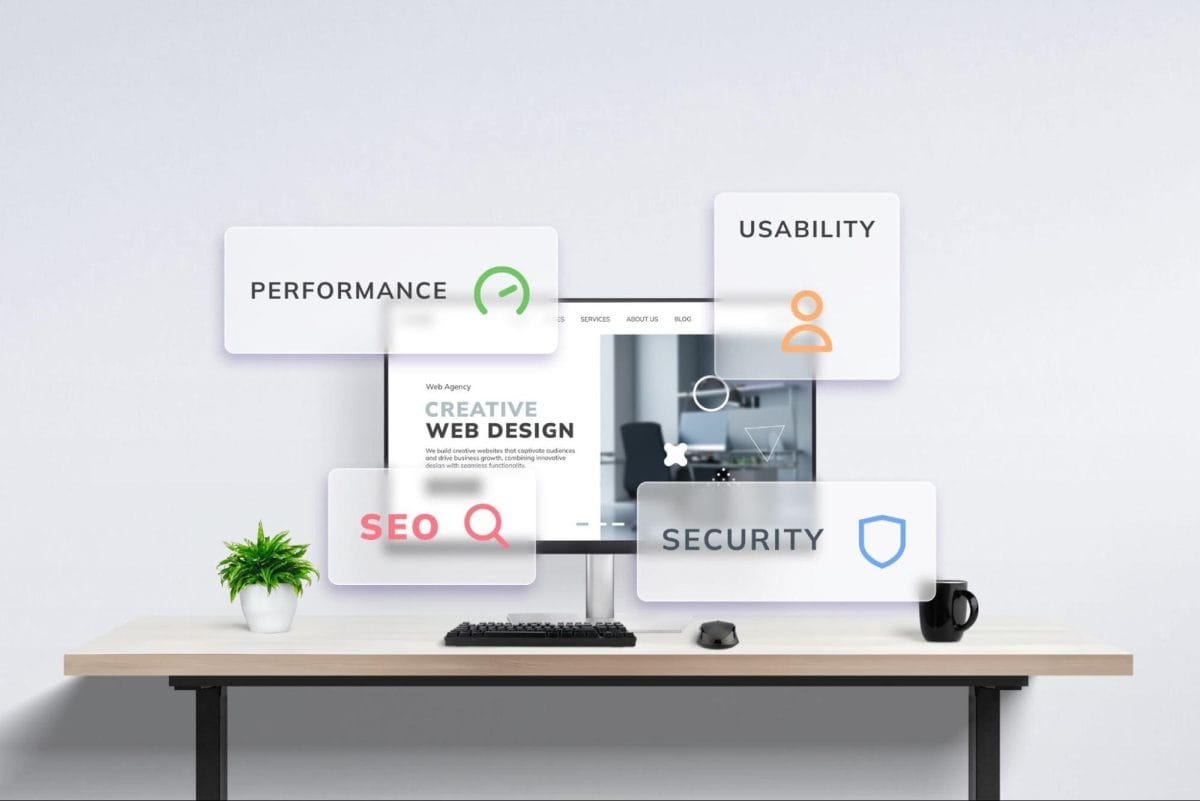
SEO-friendly web design is the combination of SEO and web design, bringing search considerations into how a website is planned, structured, and built, whether you are creating a new website from the ground up or improving an existing one.
The goal is to create a website that is easy for visitors to use and easy for search engines and AI-powered search systems to understand, crawl, and access its content.
A search-friendly website should make it easy for both users and search systems to answer basic questions such as:
- • What is this page about?
- • Where can I find the information I need?
- • How are the pages on this website connected?
- • Can search engines access and understand the content?
- • Can users complete important actions without unnecessary friction?
Features of SEO-Friendly Web Design
There is no single design style that makes a website SEO-friendly. Instead, look at the website as a combination of several connected elements:
1. Mobile and Responsive Design
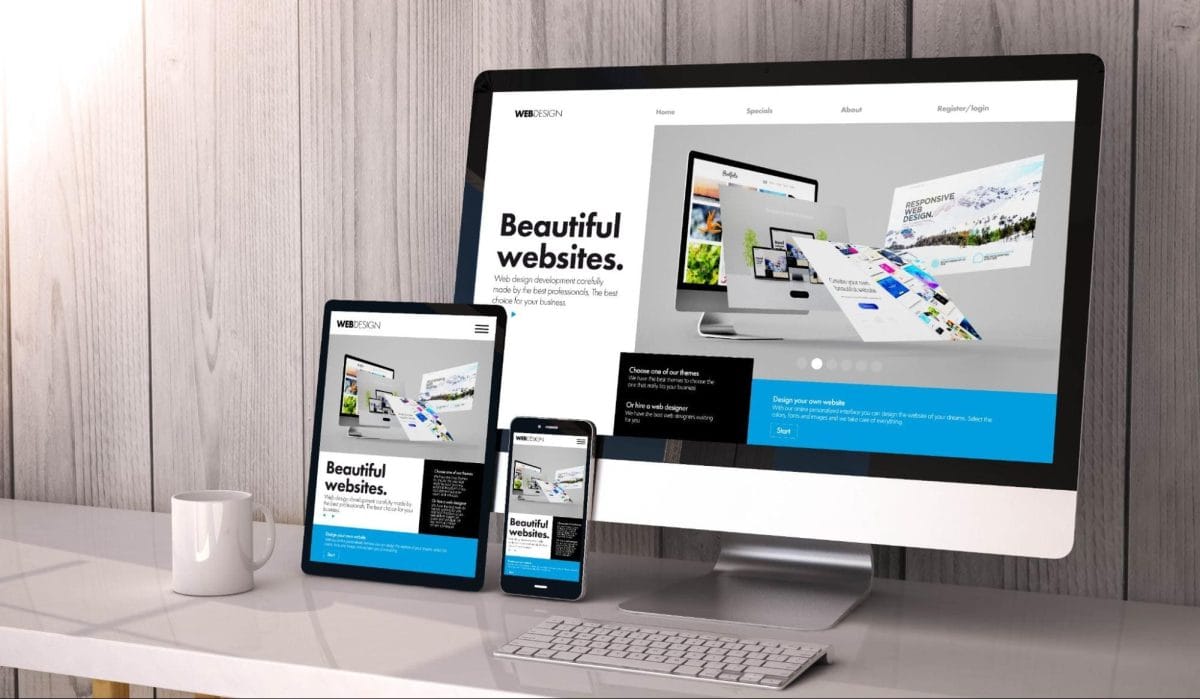
Most people no longer browse from a desktop alone. In Malaysia, 99.6% of individuals used a mobile phone in 2025, making mobile-friendly design essential for reaching people as they browse, compare options, or get in touch with your business.
Responsive web design uses flexible layouts that adapt to the user’s device and screen size. Instead of creating separate desktop and mobile websites, the same content adjusts across different screen sizes, making the website easier to maintain and providing a more consistent experience.
Pay particular attention to:
- • Navigation menus
- • Buttons and links
- • Font sizes
- • Images and media
- • Banners
- • Spacing between interactive elements
Start with how your customers will use the website, rather than designing for desktop first and simply shrinking everything down for mobile.
2. User Experience and Readability
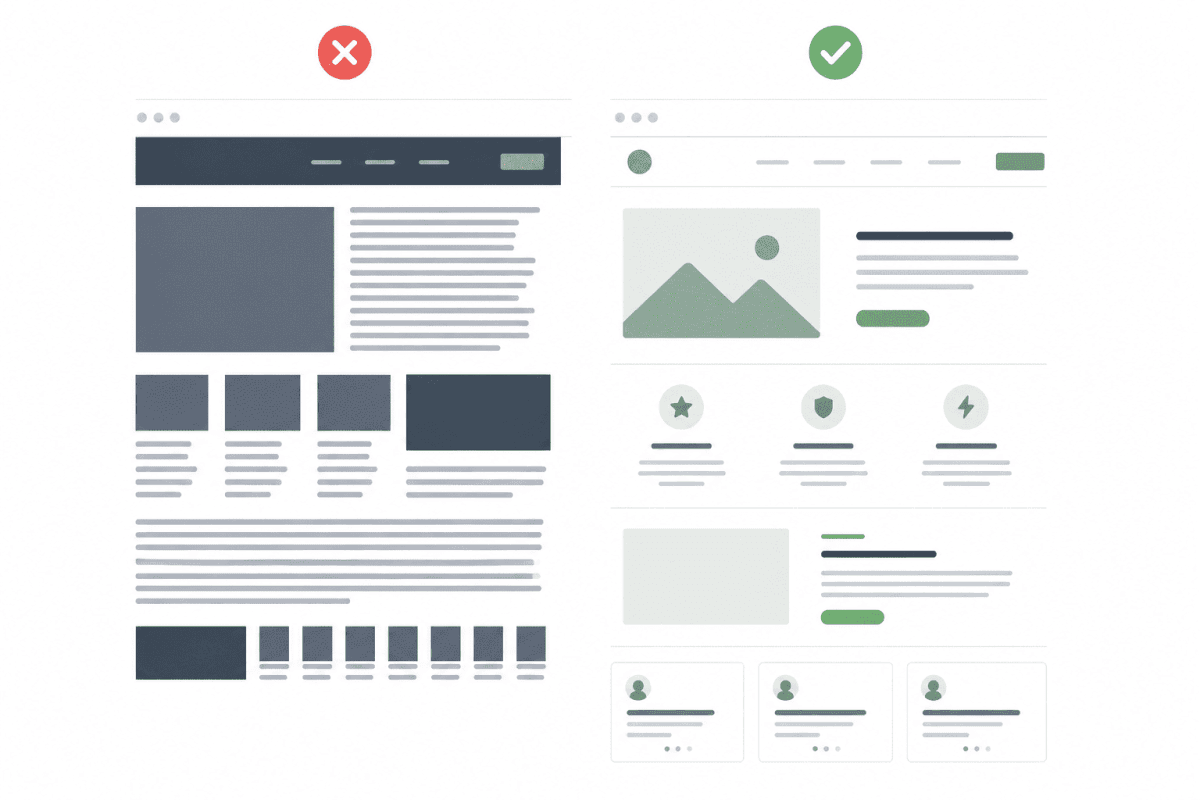
A visually attractive website is not always a usable website. If visitors cannot quickly find what they need, they may leave without exploring further, which can mean missed opportunities for your business.
That is why SEO-friendly web design should make information easy to find, read, and understand, while keeping the overall experience simple and intuitive.
a. Excellent user experience
Start by identifying what visitors are trying to accomplish on each page. For example, someone visiting a service page may want to:
- • Understand what the service does.
- • Determine whether it is relevant to their business.
- • Compare it with alternatives.
- • Find supporting information.
- • Contact the company or request a quotation.
The design should make that journey straightforward.
b. Prioritise readability
Readable content is easier for users to scan and understand. Use:
- • Short paragraphs
- • Descriptive headings
- • Clear spacing
- • Readable font sizes
- • Bullet points where appropriate
- • Tables for complex comparisons
c. Clear content hierarchy
A page should have a clear visual and semantic hierarchy, with headings that naturally organise the information that follows. This makes the content easier to scan and understand, especially on longer pages.
A logical hierarchy also helps keep your website coherent for both users and search engines. If your content is poorly organised, it becomes harder for visitors to follow and harder for search engines to understand how different sections relate to one another.
d. Logical information architecture
Information architecture refers to how content is organised and connected across the website.
A visitor should not have to guess where a particular piece of information is located. A good information architecture also helps search engines understand the relationship between pages.
e. Minimise pop-ups and conversion friction
Pop-ups can have legitimate uses, but too many interruptions can make a website frustrating to use. Avoid:
- • Full-screen interruptions that appear immediately
- • Multiple pop-ups competing for attention
- • Difficult-to-close overlays
- • Calls to action that obscure the main content
The goal is not to remove every conversion element. It is to make the next step clear without preventing visitors from accessing the information they came to find.
3. Website Architecture and Navigation
The structure behind your website matters just as much as its visual appearance.
A website with hundreds of pages can still be easy to navigate if those pages are organised logically. Conversely, a relatively small website can become difficult to crawl and use if its structure is confusing.
a. Simple website architecture
Keep important pages easy to reach. The exact structure will depend on your website, but the idea is simple: organise your pages in a way that makes sense to your visitors, so they can find what they need without having to dig around.
b. Title tags and meta descriptions
Each important page should have a clear, relevant title tag that tells visitors and search engines what the page is about. Meta descriptions can also give people a quick idea of what to expect before they click through from search results.
Keep both at an appropriate length and relevant to the page, without stuffing them with keywords or excessive promotional messaging.
c. Simple URL structure
Your URLs do not need to be complicated. Keep them short, descriptive, and easy to understand, so visitors can get a general idea of what a page is about before clicking it. A few simple practices can help:
- • Use relevant keywords: Include the main topic or keyword where it fits naturally.
- • Keep URLs concise: Remove unnecessary words, numbers, and parameters that do not add useful context.
- • Avoid unnecessary dates: Leave dates out unless they are important to the content, such as news or time-sensitive pages.
- • Redirect changed URLs: If you change an existing URL, set up a 301 redirect so visitors and search engines are sent to the new page.
d. Internal linking
Internal links connect related pages within your website.
Good internal linking can help users discover relevant information and help search engines understand relationships between pages. Use descriptive anchor text where possible and avoid vague labels such as “click here”.
4. Technical SEO
Even a well-designed website can struggle in search if search engines cannot properly access and index its pages. That is why technical SEO should be considered as part of the web design and development process from the start.
a. Indexability for search engines
Search engines need to be able to access and understand the important content on your pages. This includes the HTML itself, as well as CSS and JavaScript when they are needed to render the page properly.
One simple way to check this is through the URL Inspection tool in Google Search Console. Enter a URL, run a live test, and use the rendered page view to see how Google accesses the page and its resources.
b. Use HTTPS
HTTPS encrypts the connection between your website and its visitors, helping protect information as it is exchanged. It is now a basic requirement for modern websites and is especially important for B2B sites where visitors submit forms, create accounts, or share sensitive information.
c. XML sitemap
An XML sitemap provides search engines with a list of URLs you want them to know about. It is particularly useful for larger websites, new websites, and sites with complex structures.
However, an XML sitemap should support your website structure, not replace it. Google can discover pages through internal links as well as sitemaps, so make sure important pages are easy to find and properly linked across your site.
5. Website Performance

Website performance affects how quickly users can access and interact with a page.
A visually impressive website that takes too long to load can create a poor experience, particularly on mobile devices or slower connections.
a. Core Web Vitals
Core Web Vitals are a set of measurements that look at how a page actually feels to use.
They focus on three areas: how quickly the main content loads, how quickly the page responds when someone interacts with it, and whether the layout stays stable while the page loads.
| Metric | What it looks at |
| LCP | How quickly the main content appears |
| INP | How quickly the page responds to interactions |
| CLS | Whether content unexpectedly moves around the page |
b. Image optimisation
Large, unoptimised images are a common source of unnecessary page weight. For each image:
- • Use an appropriate format
- • Resize images to the dimensions actually needed
- • Use responsive image techniques where appropriate
- • Avoid loading large images when a smaller version is sufficient
- • Provide meaningful alternative text when the image conveys information
Why Is SEO-Friendly Web Design Important?
Your website is often the starting point of a customer’s journey. If visitors cannot find what they need, understand the information, or use the site comfortably, good rankings alone will not deliver much value.
SEO-friendly web design helps support several parts of that journey:
- • Better user experience: Clear navigation, readable content, responsive layouts, and fast-loading pages make it easier for visitors to find information and take action.
- • Better crawlability and indexability: Search engines need to access and understand your pages before they can appear in search results. Poor architecture, blocked resources, or incorrect directives can make this harder.
- • Stronger content understanding: Clear page titles, descriptive headings, logical internal links, and structured data help search engines understand what your pages are about and how they relate to one another.
- • Better visibility across search experiences: Search is no longer limited to traditional search results. As AI-powered search becomes more common, SEO-friendly web design principles can improve your AI visibility and make it easier for AI systems to understand your website.
- • Easier website management: A simple website architecture makes it easier for your team to add pages, update content, fix broken links, and maintain consistent SEO practices as the website grows.
- • Stronger conversion potential: A well-structured website makes it easier for visitors to understand your offerings, compare options, and take the next step, whether that means submitting an enquiry, requesting a quote, or contacting your team.
How to Balance Web Design and SEO?
Good web design and SEO can work hand in hand. The goal is to create a website that looks good, works well, and is easy to find. Here are some areas where the two need to work together:
| Design priority | SEO consideration | Better approach |
| Visual appeal | Important information can get lost when design takes centre stage | Use design to draw attention to useful content, not hide it |
| Animations | Too many animations can slow the page down, affect responsiveness, and make it harder to focus on the content | Use animation selectively and keep it lightweight |
| Minimalism | Stripping a page back too far can leave it thin, with little useful information for visitors or search engines | Keep the design clean, but include enough useful content to answer the user’s needs |
| Navigation | Visitors and search engines need clear paths to find related pages | Use logical menus and descriptive internal links |
| Images | Large images can slow pages down, while important information placed only in images can be harder to access | Optimise images and keep important information in text |
| Pop-ups | Too many or poorly timed pop-ups can get in the way of what visitors came to find | Keep interruptions limited and purposeful |
| JavaScript | Poorly implemented JavaScript can affect how search engines access and render content, as well as page performance | Use it where it adds value, while keeping important content and links accessible |
| Typography | Small text, cramped spacing or low contrast can make a page harder to read, especially on mobile | Prioritise comfortable font sizes, spacing, hierarchy and contrast |
Common SEO Web Design Mistakes and Better Alternatives
Some SEO problems are introduced during the design or development stage and become more difficult to fix later.
1. Using images instead of text for important information
Problem: Search engines and assistive technologies may have less usable information to interpret.
Better alternative: Keep important headings, product information and other essential content as actual text.
2. Hiding important content behind unnecessary interactions
Problem: Visitors have to click through multiple elements before finding basic information.
Better alternative: Put important information directly on the page and use interactive elements where they genuinely improve the experience.
3. Creating a complicated website structure
Problem: Users struggle to find pages and search engines may have difficulty understanding how content is organised.
Better alternative: Group related pages into clear categories and create meaningful internal links.
4. Treating SEO as something to add after development
Problem: Technical limitations, URL structures, and page templates may already be locked in.
Better alternative: Include SEO requirements during the planning, information architecture, and design stages.
5. Overusing keywords in design and copy
Problem: Repetitive wording can make content unnatural and reduce readability.
Better alternative: Write for the user’s search intent first, using relevant terminology naturally.
6. Adding structured data that does not match the page
Problem: Irrelevant or misleading markup can make structured data ineligible for rich results and may create other issues.
Better alternative: Mark up only relevant, visible information and follow Google’s guidelines for the specific structured data type.
Existing Website Design vs New Website Design
You do not necessarily need a completely new website to improve SEO. The right approach depends on the condition of your existing site.
| Situation | Existing site | New website |
| Design looks outdated | Redesign may be sufficient | Useful if the underlying platform is also outdated |
| Poor mobile experience | Can often be fixed | Consider rebuilding if templates are difficult to change |
| Slow performance | Optimise existing code and assets | Rebuild if technical limitations are significant |
| Poor navigation | Restructure information architecture | A rebuild may make the process easier |
| Strong existing rankings | Protect URLs and redirects carefully | Migration requires careful SEO planning |
| Major business repositioning | May require substantial restructuring | New architecture may be more appropriate |
Conclusion
Ultimately, SEO-friendly web design is less about pleasing an algorithm and more about building a website that people can genuinely use. Good navigation, clear content, strong technical foundations, and a well-structured site help make your website easier for people, search engines, and AI-powered search to understand.
If you are building a new website or improving an existing one, speak with us today. We offer web design and development services as well as SEO services, so you can get the right support for both your website and its search visibility.
Frequently Asked Questions
1. Does web design really affect SEO rankings?
Yes. Web design can affect how easily visitors use your website and how easily search engines crawl and understand it. Mobile usability, navigation, page speed, content structure, and internal linking can all play a role.
That is why SEO is best considered during website planning and development, rather than added once the design is finished.
2. What makes a website SEO-friendly?
An SEO-friendly website should be:
- • Mobile-friendly and responsive
- • Easy to navigate
- • Logically structured
- • Easy for search engines to crawl and index
- • Built with clear page titles, headings and URLs
- • Supported by useful internal links
- • Fast and well optimised
The goal is simple: make the website easy for people, search engines, and AI to understand.
3. Should SEO be considered before web design?
Ideally, yes. It is much easier to build SEO considerations into a website from the beginning than to fix structural issues later.
Before designing, consider your search intent, target pages, information architecture, navigation, URLs, content requirements, internal linking, and technical requirements.
4. Does SEO-friendly design also help AI search visibility?
Yes, many of the same principles apply. Clear content, logical structure, useful information, and accessible pages give search systems more context to understand your website.
This can support AI visibility, including efforts around AEO and GEO. However, there is no specific design technique that guarantees visibility in AI search.
5. What should I prioritise when redesigning a website for SEO?
Start with the areas that have the biggest impact:
1. Understand search intent: Make sure each page serves a clear purpose.
2. Improve site structure: Organise pages logically and make navigation straightforward.
3. Protect important URLs: Plan redirects before changing existing URLs.
4. Improve mobile usability: Make sure the site works well across screen sizes.
5. Improve performance: Optimise images, scripts and other resources that slow pages down.
6. Strengthen internal linking: Connect relevant pages using descriptive anchor text.
7. Check indexability: Make sure important pages can be crawled and indexed.
8. Use structured data where appropriate: Add relevant markup that accurately reflects your content.